

We publish accurate tutorials and regularly update guides based on the latest app versions.
Learn how to install IPTV Smarters Pro, add your M3U playlist or Xtream Codes, and get the best IPTV service on any device.
IPTV Smarters Pro is one of the most popular IPTV player apps in 2026. It works on Android, iOS, Smart TV, Firestick, and PC — supporting M3U playlists and Xtream Codes API.
Works on Android, iOS, Firestick, Smart TV, PC, and Mac. One app for all your devices.
Add any M3U URL from your IPTV provider and start watching live channels, movies, and series instantly.
Connect using your provider's server URL, username, and password for the most stable IPTV experience.
Full Electronic Program Guide so you always know what is on and what is coming next on every channel.
Browse and stream on-demand movies and TV series directly inside the app with a clean interface.
IPTV Smarters Pro is free to download. You only need a valid IPTV subscription from your provider.
IPTV Smarters Pro works on all major devices. Select yours to follow the right installation guide.
Follow these step-by-step guides to install IPTV Smarters Pro on your device in minutes.
From your Firestick home screen, go to the Search bar and type "IPTV Smarters Pro".
Select IPTV Smarters Pro from the results and click Download. Wait for the installation to complete.
Once installed, open IPTV Smarters Pro from your apps list on the Firestick home screen.
Choose "Login with Xtream Codes API" or "Load Your Playlist / File / URL" and enter your provider details.
On your Android device, open the Google Play Store and search for "IPTV Smarters Pro".
Tap Install and wait for the download to finish. The app is free to install.
Open the app, enter a profile name, and choose your login method — Xtream Codes or M3U URL.
On your iPhone or iPad, open the App Store and search for "IPTV Smarters Pro".
Tap Get to download the app. You may need to confirm with Face ID or your Apple ID password.
Open the app and add your IPTV service using Xtream Codes or M3U URL from your provider.
On Samsung, open the Samsung Apps Store. On LG, open the LG Content Store.
Search for "IPTV Smarters" and install the available version for your TV model.
Open the app and enter your IPTV provider credentials to start watching.
Visit the official IPTV Smarters website and download the Windows or Mac version of the app.
Run the installer and open IPTV Smarters Pro on your computer.
Enter your Xtream Codes credentials or paste your M3U URL to load your channels.
There are two ways to add your IPTV service to Smarters Pro — M3U URL or Xtream Codes API. Both methods are explained below.
Launch the app on your device and tap "Add New User".
Choose this option from the login screen.
Paste the M3U link provided by your IPTV provider into the URL field.
The app will load your channels, movies, and series automatically.
Launch the app and tap "Add New User".
Choose this option from the login screen.
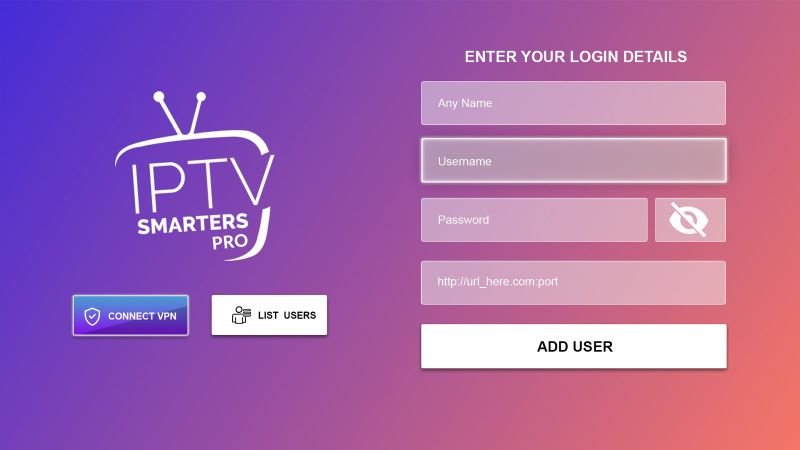
Fill in the Server URL, Username, and Password provided by your IPTV provider.
Your channels, VOD, and series will load instantly from the server.
Xtream Codes API is recommended for the most stable and feature-rich experience. It gives you access to EPG, catch-up TV, and VOD. M3U URL is simpler but may have limited features depending on your provider.
To use IPTV Smarters Pro, you need a valid IPTV subscription. Here is how to find the best provider and get your Xtream Codes or M3U playlist.
Look for a provider with stable servers, good uptime, HD/4K channels, and 24/7 support. Avoid free or unknown sources — they are often unreliable and unsafe.
Most good IPTV providers offer a 24-hour free trial. Test the service before committing to a subscription. Check channel quality, buffering, and EPG accuracy.
After subscribing, your provider will send you a Server URL, Username, and Password (Xtream Codes) or an M3U URL. Keep these safe.
Open the app, select "Login with Xtream Codes API", and enter your server URL, username, and password. Your channels will load instantly.
We recommend providers that offer stable Xtream Codes, 4K channels, and a free trial. Check our recommended providers list.
Get Free IPTV TrialIPTV Smarters Pro is a free IPTV player app that works on Android, iOS, Firestick, Smart TV, and PC. It lets you watch live TV, movies, and series using your IPTV provider's M3U playlist or Xtream Codes.
Yes, the app is free to download and use. You need a paid IPTV subscription from a provider to access channels and content.
Open the app, tap "Add New User", and choose either "Login with Xtream Codes API" (enter server URL, username, password) or "Load Your Playlist / File / URL" (paste your M3U link).
Xtream Codes is a system used by IPTV providers to deliver channels. Your provider gives you a server URL, username, and password. You enter these in IPTV Smarters Pro to access your subscription.
Yes. IPTV Smarters Pro is available on the Apple App Store and works on iPhone and iPad. Search for "IPTV Smarters Pro" in the App Store to download it.
Yes. You can find IPTV Smarters Pro in the Amazon App Store on your Firestick. Search for it directly and install it for free.
HD streaming: 10–15 Mbps. Full HD: 15–25 Mbps. 4K: 25+ Mbps. A stable wired connection is recommended for the best experience.
Many IPTV providers offer a free 24-hour trial with no credit card required. Visit our free trial guide to find the best options available in 2026.
Follow our step-by-step guides for every device. Get your IPTV service running in minutes.
View Install Guides