
IPTV Smarters Pro is one of the most popular IPTV player apps for Android TV, Android TV Box, and Google TV devices in 2026. Whether you just bought a new Smart TV or want to upgrade your streaming setup, this guide will show you exactly how to install Smarters on Android TV step by step.
If you need a reliable IPTV player that supports Xtream Codes API, M3U playlists, EPG guide, and multi-screen viewing, Smarters is the best choice. Best of all, the app is completely free to download and use.
Table of Contents
- What is IPTV Smarters Pro?
- Is Smarters Available on Android TV?
- How To Install Smarters On Android TV (Step by Step)
- How To Set Up Smarters After Installation
- How To Get a Free IPTV Trial for Smarters
- Compatible Android TV Devices
- Smarters FAQ
What is IPTV Smarters Pro?
IPTV Smarters Pro is a powerful IPTV player designed for streaming live TV channels, movies, and series on Android TV, Firestick, Google TV, and mobile devices. It does not provide content by itself — you need an IPTV subscription from a provider to use it.
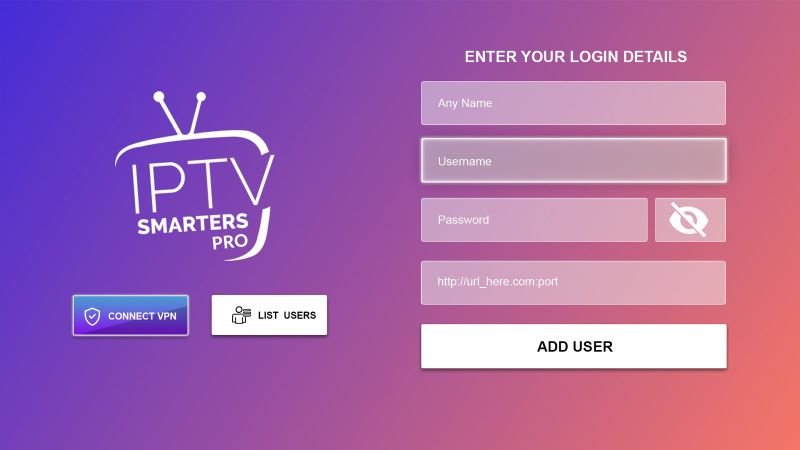
Key features of Smarters include:
- ✅ Free to download and use
- ✅ Supports M3U URL and Xtream Codes API
- ✅ Built-in Electronic Program Guide (EPG)
- ✅ Multi-screen support (watch up to 4 channels)
- ✅ Recording and catch-up TV
- ✅ Parental controls
- ✅ External player support (VLC, MX Player)
- ✅ User-friendly interface optimized for TV
Is Smarters Available on Android TV?
Yes. IPTV Smarters Pro works on Android TV, Android TV Box, Google TV, and Amazon Fire TV devices. However, it is important to note that the official app was removed from the Google Play Store in 2019. This means you need to sideload the APK using the Downloader app or install it directly from the official website.
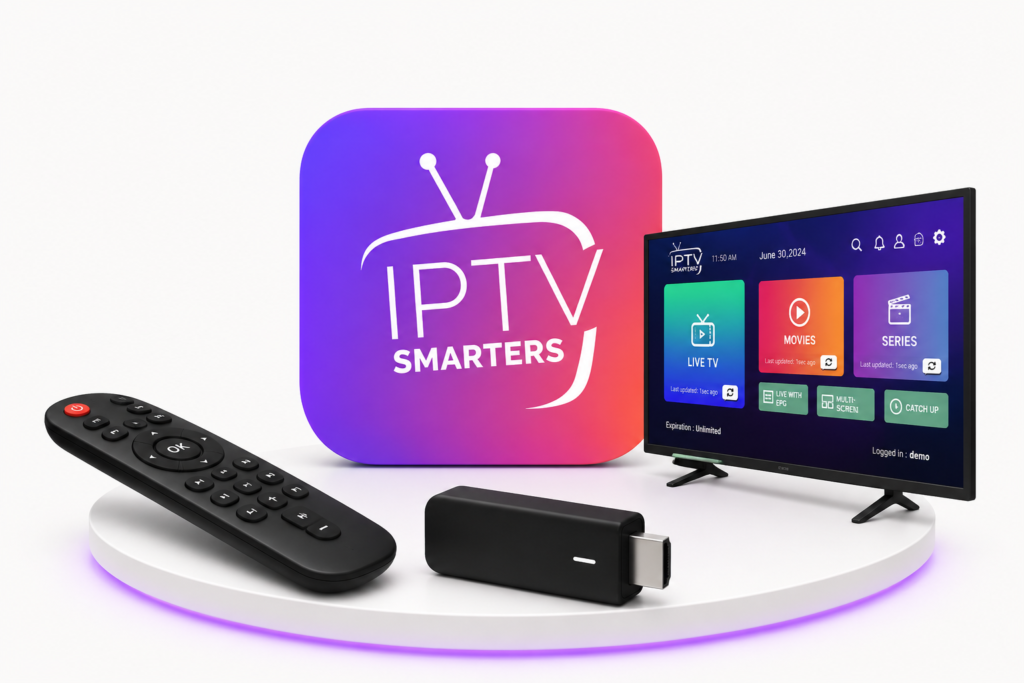
For the latest version and official download links, visit: https://smarters.com.co/
How To Install Smarters On Android TV (Step by Step)
Follow these simple steps to install IPTV Smarters Pro on your Android TV in 2026:
Step 1 – Enable Unknown Sources
Before installing any app outside the Play Store, you must allow installation from unknown sources:
- Go to Settings on your Android TV.
- Navigate to Device Preferences → Security & Restrictions.
- Enable Unknown Sources or Install unknown apps.
- Find the Downloader app (or your file manager) and allow it.
Step 2 – Install the Downloader App
- Open the Google Play Store on your Android TV.
- Search for “Downloader by AFTVnews”.
- Install and open the Downloader app.
Step 3 – Download IPTV Smarters Pro APK
- In the Downloader app, click the URL field.
- Enter the official download URL from https://smarters.com.co/ or use a trusted code like 250931 (TROYPOINT Toolbox).
- Click Go and wait for the APK to download.
- When prompted, click Install.
- After installation, click Done and delete the APK file to save space.
Step 4 – Launch Smarters on Android TV
- Go to your Apps section on Android TV.
- Find and open IPTV Smarters Pro.
- Select TV mode when prompted.
- Accept the terms and conditions.
How To Set Up Smarters After Installation
Once Smarters is installed, you need to add your IPTV subscription. You have three options:
Option A – Login with Xtream Codes API
- Open Smarters and select Login with Xtream Codes API.
- Enter your Server URL, Username, and Password provided by your IPTV provider.
- Click Add User and wait for the channels to load.
Option B – Load Your Playlist (M3U URL)
- Select Load Your Playlist or File URL.
- Paste your M3U URL from your IPTV provider.
- Click Add User and enjoy your channels.
Option C – Login with Multiple Playlists
Smarters supports multiple playlists. You can add several IPTV subscriptions and switch between them easily from the main menu.
How To Get a Free IPTV Trial for Smarters
After installing Smarters on your Android TV, you need an IPTV subscription to watch content. The best way to test everything is to get a free trial.
Contact the official team at https://smarters.com.co/ to request your free 24-hour trial. A free trial usually includes:
- 🎁 24 to 48 hours of full access
- 📺 Thousands of live channels
- 🎬 Movies and TV series (VOD)
- 📱 No credit card required
- ⚡ Instant activation
Compatible Android TV Devices
IPTV Smarters Pro works on a wide range of devices. Here is the full compatibility list:
| Device | Compatible | Install Method |
|---|---|---|
| Android TV Box (generic) | ✅ Yes | Sideload APK / Downloader |
| Google TV (Chromecast) | ✅ Yes | Downloader |
| NVIDIA Shield TV | ✅ Yes | Downloader |
| Xiaomi Mi Box S | ✅ Yes | Downloader |
| Sony Android TV | ✅ Yes | Downloader |
| Samsung Smart TV (Android) | ✅ Yes | Downloader |
| LG Smart TV (Android) | ✅ Yes | Downloader |
| Philips Android TV | ✅ Yes | Downloader |
| TCL Android TV | ✅ Yes | Downloader |
| Amazon Fire TV Stick | ✅ Yes | Downloader / Amazon Store |
Smarters FAQ
Is IPTV Smarters Pro free?
Yes. The app is 100% free to download and use. You only need an IPTV subscription for content.
Is Smarters safe to install on Android TV?
Yes, as long as you download it from the official website or a trusted source like https://smarters.com.co/.
Why is Smarters not on Google Play?
Google removed IPTV Smarters from the Play Store in 2019. You must sideload the APK using Downloader.
Can I use Smarters on Google TV?
Yes. Smarters works perfectly on Google TV devices including Chromecast with Google TV.
What is the best way to install Smarters on Android TV?
Using the Downloader app with the official APK code or URL is the easiest and safest method.
Does Smarters support 4K streaming?
Yes. Smarters supports HD, Full HD, and 4K streaming depending on your IPTV provider and internet speed.
How do I get my IPTV credentials?
After requesting a free trial or subscribing, your provider will send you a username, password, and server URL.
Ready to Install Smarters on Your Android TV?
Get the official IPTV Smarters Pro app and start streaming live TV, movies, and sports on your Android TV today. Visit https://smarters.com.co/ for the latest download, setup guides, and free trial information.